

You are in
Project documentation
Department tool: Document Check
Checks Excel, DWG and PDF before they reach corporate systems
Product · Document Check
Document Check shows the error exactly where it is
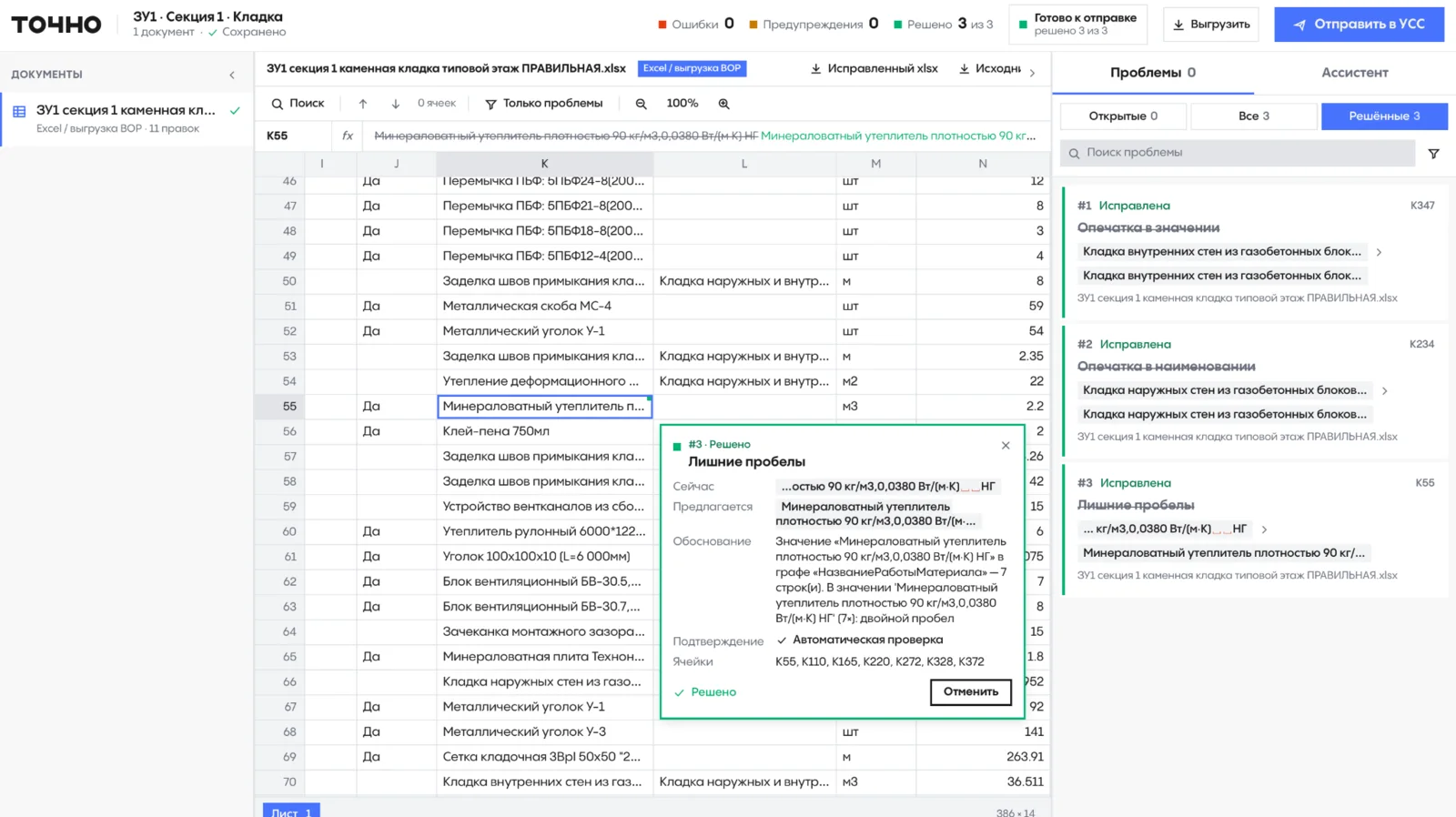
Upload a document set: the system detects the file types, finds errors and mismatches between Excel, drawings and PDFs, and marks them right in the document.
- Errors, warnings and resolved issues for every file
- Evidence: what the document says and what is expected
- Excel cross-checked against DWG drawings and PDF exports
- The specialist decides; the source file is never changed
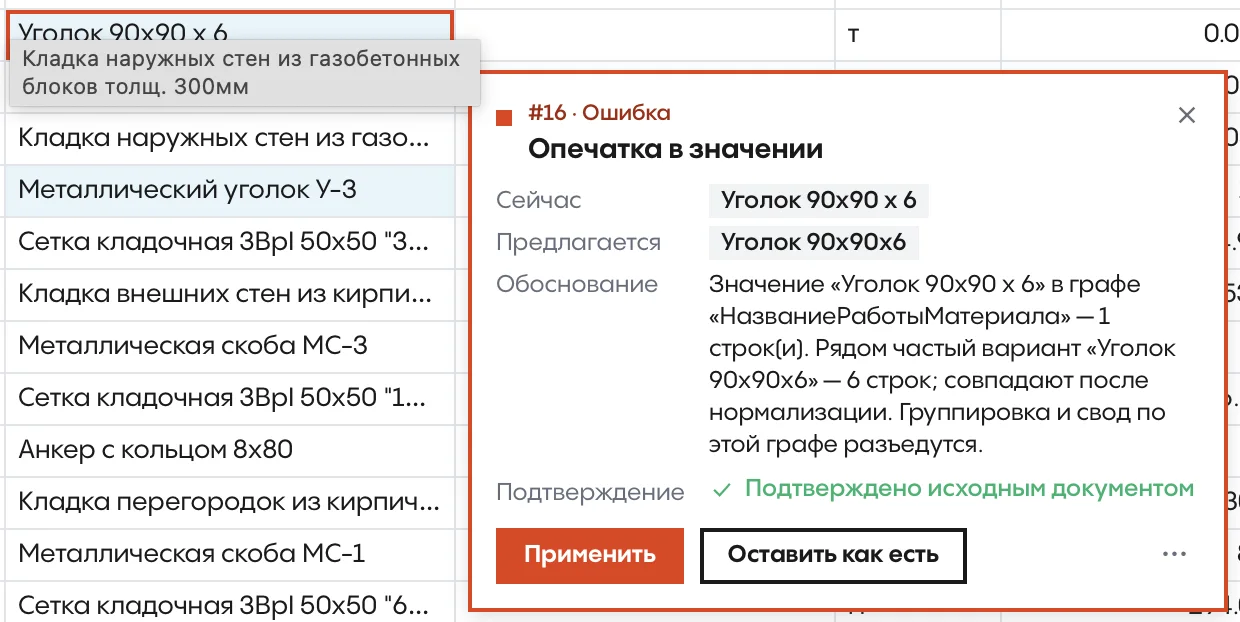
| 22 | Masonry mesh 50x50 | m | 263.9 |
|---|---|---|---|
| 23 | Steel lintel installation | t | 0.019 |
| 24 | Steel angle 90x90 x 6 | t | 0.019 |
| 25 | Rebar A500C 10 mm | t | 0.019 |
Error · blocks submission
Typo in value
- Current
- Steel angle 90x90 x 6
- Expected
- Steel angle 90x90x6
Confirmed by the source document
The fix goes to a working copy; the source file is never changed.
Document set
Three document types in one check
- XLSX
Excel
The main workspace: a spreadsheet with the errors marked.
- DWG
AutoCAD drawings
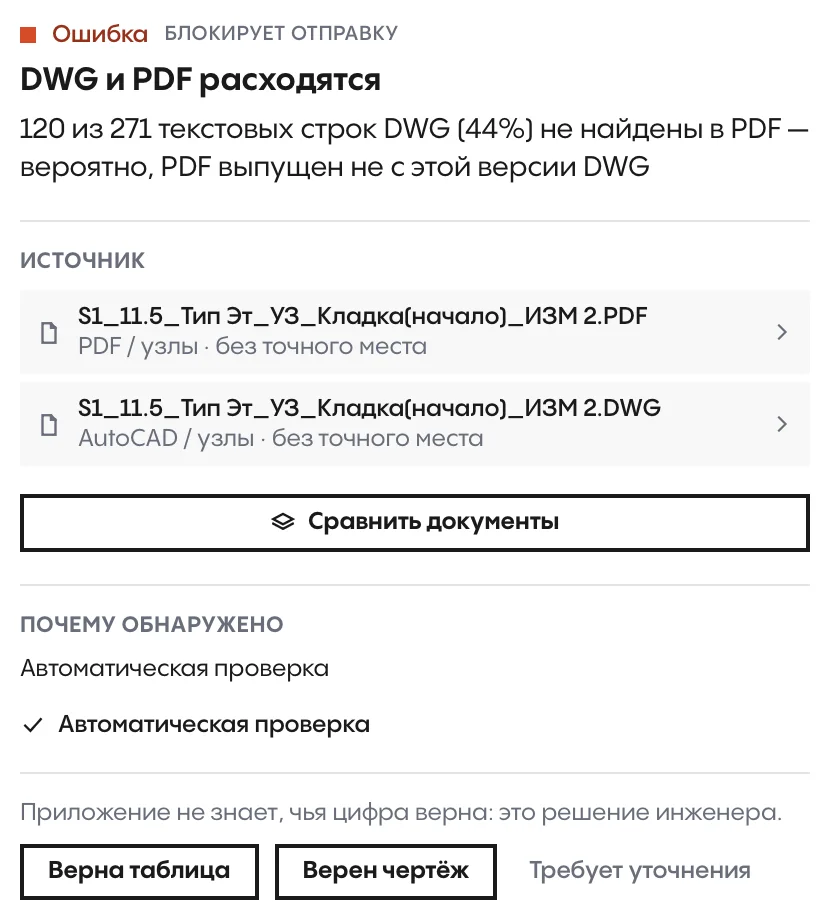
The assistant panel explains every comment on the drawing.
- PDF
PDF exports
Checked against the drawings and the spreadsheet: mismatches show up at once.
How the check works
The specialist always has the final say: the system shows the problem and the reasoning.
- 01
Upload the set
Excel, DWG drawings and PDF exports. The system detects the file types on its own.
- 02
Error search
Errors, warnings and mismatches between the spreadsheet, the drawing and the PDF.
- 03
Every error in its place
What the document says now, what is expected and why, right in the cell or on the drawing.
- 04
The specialist decides
Apply the fix or keep the value. Edits go to a working copy; the source file never changes.
- ErrorBlocks the set from being sent.
- WarningNeeds a specialist's attention.
- ResolvedFix applied or value kept as is.
Once no issues are left, a single button sends the set on to the corporate document system.
The Document Check interface
Real product screens in use.
Materials
Document Check deck
Flip through it here or download the PDF to share with colleagues.
The deck is in Russian.
01 / 12
Let's discuss a pilot on your project
Leave your contact details. “Project documentation” is already selected in the form; add other areas if they interest you too.
Other departments in the ecosystem
 Online salesAI ManagerA digital sales manager on your website and in messengers, 24/7
 Sales officeSales WorkspaceCatalog, stacking plan, calculators and offers for the sales team
 Sales analyticsSIGNALAI quality control for sales team calls
 Agency salesAgent PortalA partner portal on top of Bitrix24
 Marketing and listingsDOMIXListings from 1C on Avito, CIAN, Domclick, Yandex Real Estate and DOM.RF
 Parking managementParking RentalA digital map of parking spaces with live statuses